Lucie makes it super simple to enroll your clients in supplemental and ancillary plans at the same time you’re enrolling them in medical coverage. Whether you want to enroll individual supplemental plans or cross-sell them together, with or without medical coverage, it’s all on one platform. That makes it faster and easier for you to provide all-around coverage for your clients.
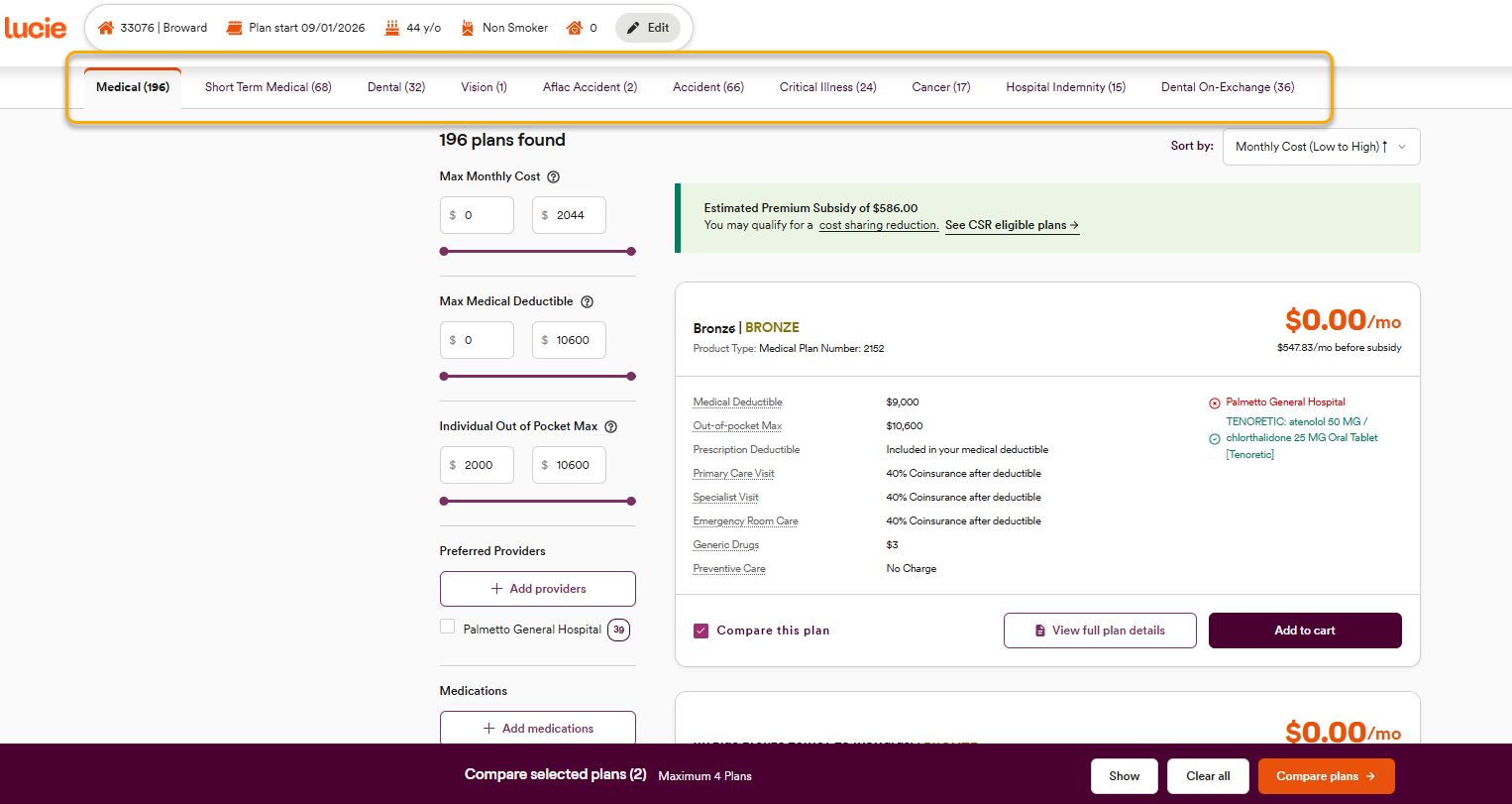
Step 1 - Find your lines of coverage
Just like quoting medical coverage, start by looking at the top of the page for the lines of coverage available in your Lucie profile.
Note: You will only see supplemental and ancillary carriers for the lines of coverage you have selected in your profile and for carriers that you’re appointed with.
Step 2 - Switch to supplemental plans
No matter what line of coverage you're quoting, Lucie keeps things consistent. When you move over to dental, vision, or others, you get the exact same quick view of benefits, as well as the ability to filter and create comparisons.
Step 3 - Add supplemental plans
Once you identify the supplemental lines of coverage and specific plans your client wants, you can add them to the plan card, just as you would with a selected medical plan.
Note: You can also access select Short-Term Limited Duration Medical plans. These cannot be enrolled alongside an ACA medical plan. Like other supplemental carriers, you'll need to be appointed and will need to activate it in your profile.
Supplemental and ancillary coverage offers your clients a more complete healthcare package. By giving you the ability to quote select supplemental plans alongside medical coverage, on the same platform, Lucie makes it easier to get your clients what they need.
Need a hand? If you hit a hurdle along the way, we're here to help — just submit a ticket here.