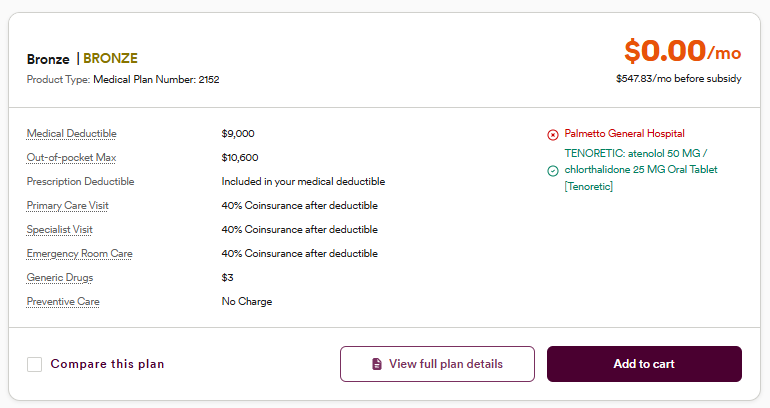
Once you start a quote on Lucie, you’ll see high-level plan cards for each coverage plan available for your client. Highlights are great, but there are times you need to dig into the details. To see all the details about a plan, simply click View full plan details.
What you’ll see
Under the plan header, you see a list of options. Click the arrow to the right of each one to open or close that section.
Plan basics
The first section you’ll see is “Plan Basics” This covers information like plan name, carrier, and type, as well as deductible and maximum out-of-pocket.
Documents
This section includes the provider directory for that plan, the plan brochure, the plan benefits, and formulary documents. Your clients can access these if you send them the link, or simply download them yourself and send them directly to your clients
Other options
You’ll see a variety of other sections, ranging from preventative care and doctor visit details to maternity and newborn care, medical management programs, and other services, to name a few.
Reminder: From the full detail view, you can send your client links to any plan, but they won’t be able to enroll via the link you send.
Lucie makes it easy to gather and share all the plan details you need to find your clients their right fit.
Need a hand? If you hit a hurdle along the way, we're here to help — just submit a ticket here.