Your goal is to help your clients make the best choices. Our job is to make that easier. Lucie lets you build simple side-by-side comparisons of medical plans that you can review and share with your clients. It helps your clients understand what’s available to them, the tradeoffs of selecting one plan over another, and it gives them peace of mind knowing that they’re choosing the coverage that meets their needs.
Here’s how it works:
Step 1 - Select plans to compare
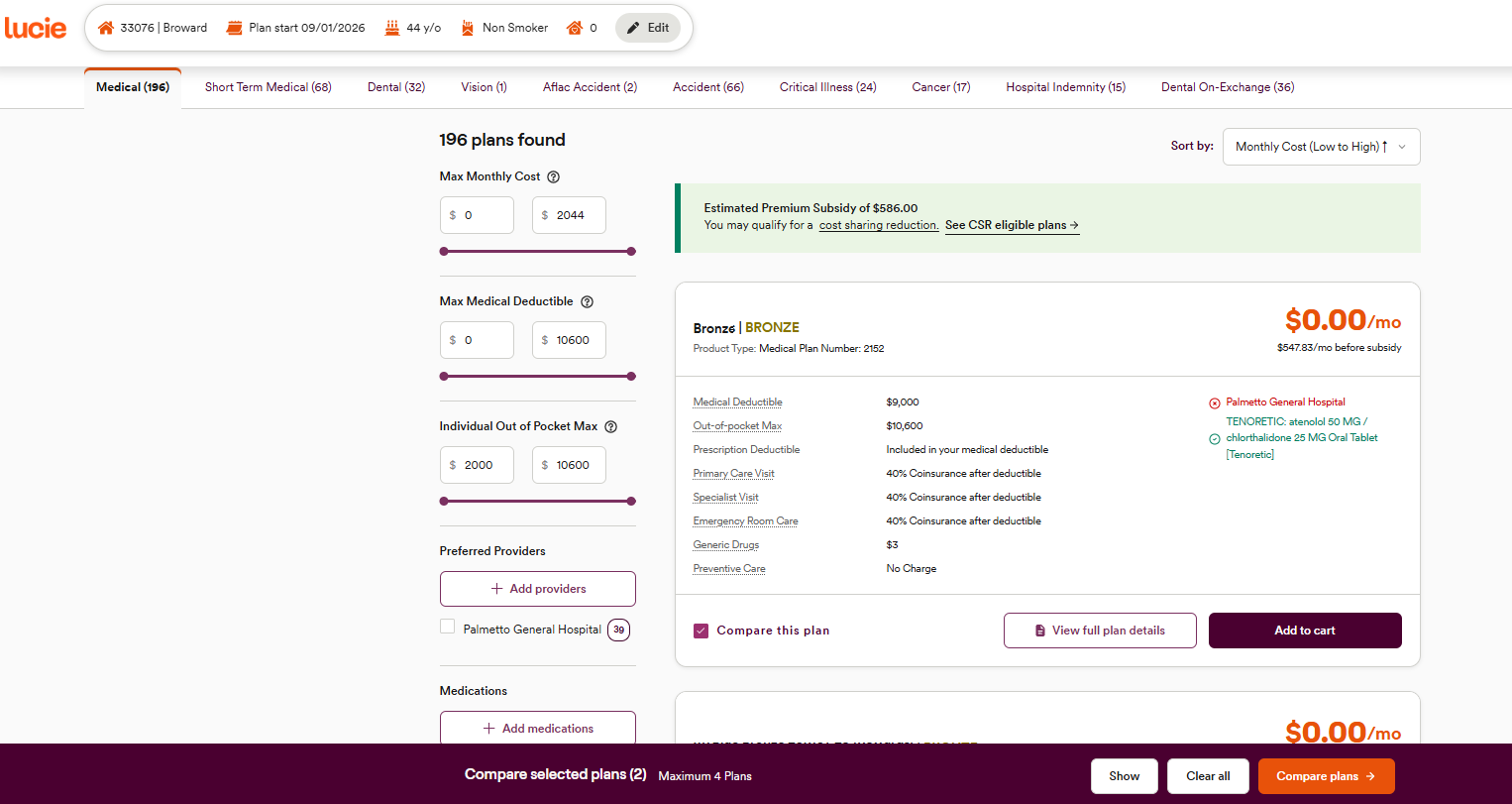
You already know how to find medical coverage plans for your clients by starting a new quote, and how to filter the coverage options, so now you’re ready to compare. Every plan card has a Compare this plan check box in the bottom left. Simply click it to include the plan in your comparison. You can select up to four (4) plans to compare side-by-side.
Step 2 - Open the comparison page
Once you’ve selected two, three, or four plans to compare, a banner will pop-up at the bottom of your page. Click Compare plans to open the comparison page, or you can clear the plans you selected and start over.
Step 3 - Compare plans side-by-side
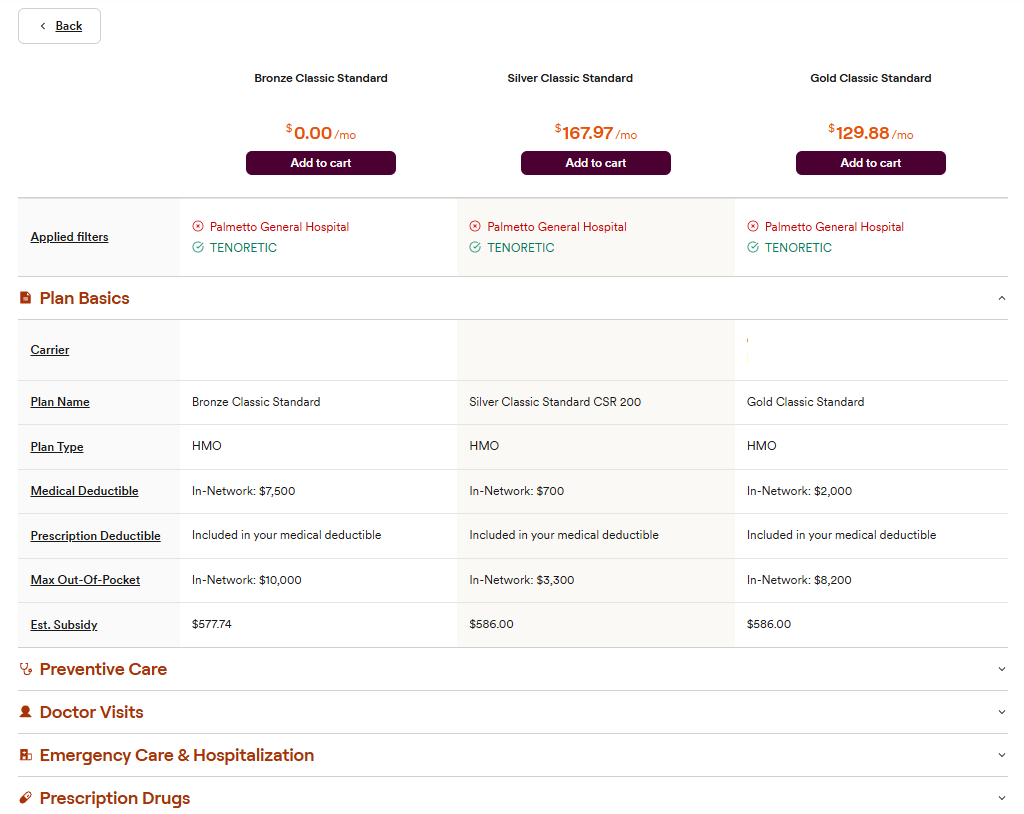
The comparison page shows the side-by-side comparison of the medical coverage plans you selected. These show full coverage breakdowns and plan documents, and include information like carrier, plan type, plan deductible, estimated subsidy, among many other details. Best of all, the comparison will show how each plan does or does not support the providers and prescriptions you added in the filter options.
Step 4 - Share the comparison
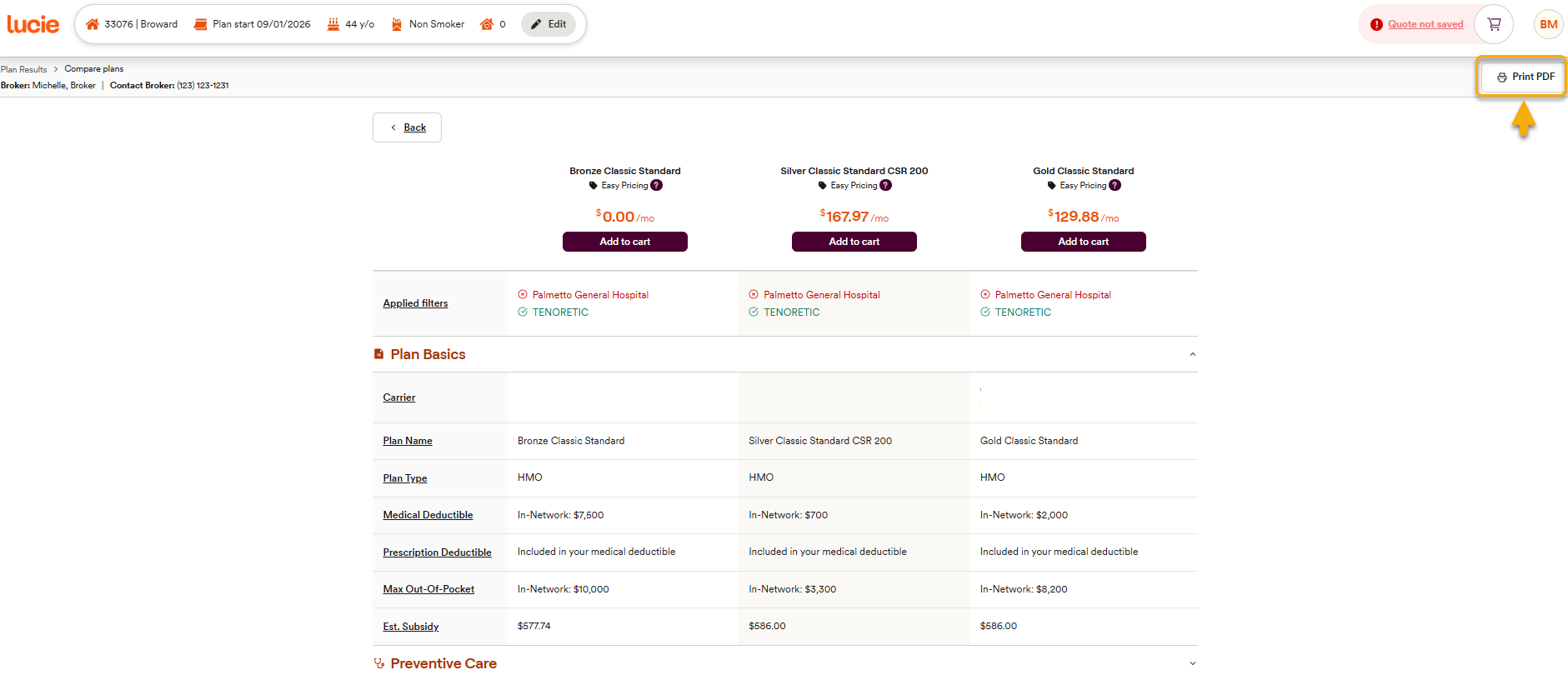
Once you’ve created a comparison set, you’re happy with and ready to share with your client, you can easily turn it into a shareable document. In the upper right of the comparison page, click Print PDF to download and save a document to send to a client. When they open it, it allows them to review your recommendations, but they can’t enroll on their own. They’ll be able to see the plan highlights, as well as the detailed coverage information if they want to.
Now that your client can compare their options, they’re ready to decide which plan to move forward with. Once you’ve helped them select an option, it’s time to Add to Cart.
Need a hand? If you hit a hurdle along the way, we're here to help — just submit a ticket here.