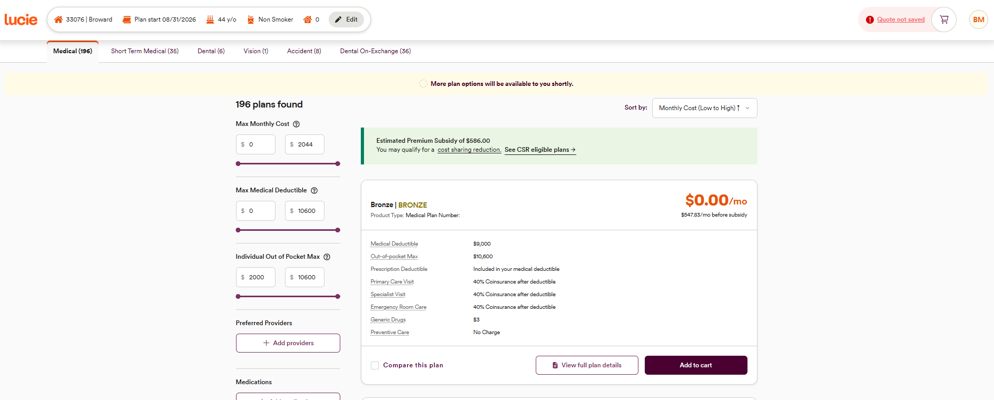
Once you’ve started a quote, providing medical coverage quotes for your clients is a breeze. Whenever you start a quote for a client, you’ll see their info at the top of the page. That makes it easy to reference the details you need (and you can always edit that information by clicking Edit next to their details).
Step 1 - Navigate lines of coverage
Towards the top of your screen, you’ll see the tabs for all the lines of coverage you selected in your Lucie profile (Link to Article on how to set up ancillary). This includes medical coverage through the ACA marketplace and could include different supplemental and ancillary coverage plan options. If you’re quoting medical coverage, make sure you’re in the Medical tab. The number in parentheses next to Medical indicates how many plan options your client is eligible for.
Step 2 - Browse the medical plan options
In the Medical tab, you’ll find all the major medical plans through HealthCare.gov that are available for your client’s zip code. Plans are automatically sorted from lowest to highest cost in alphabetical order, but you can choose how plans are sorted using the drop-down tab near the top right of the screen.
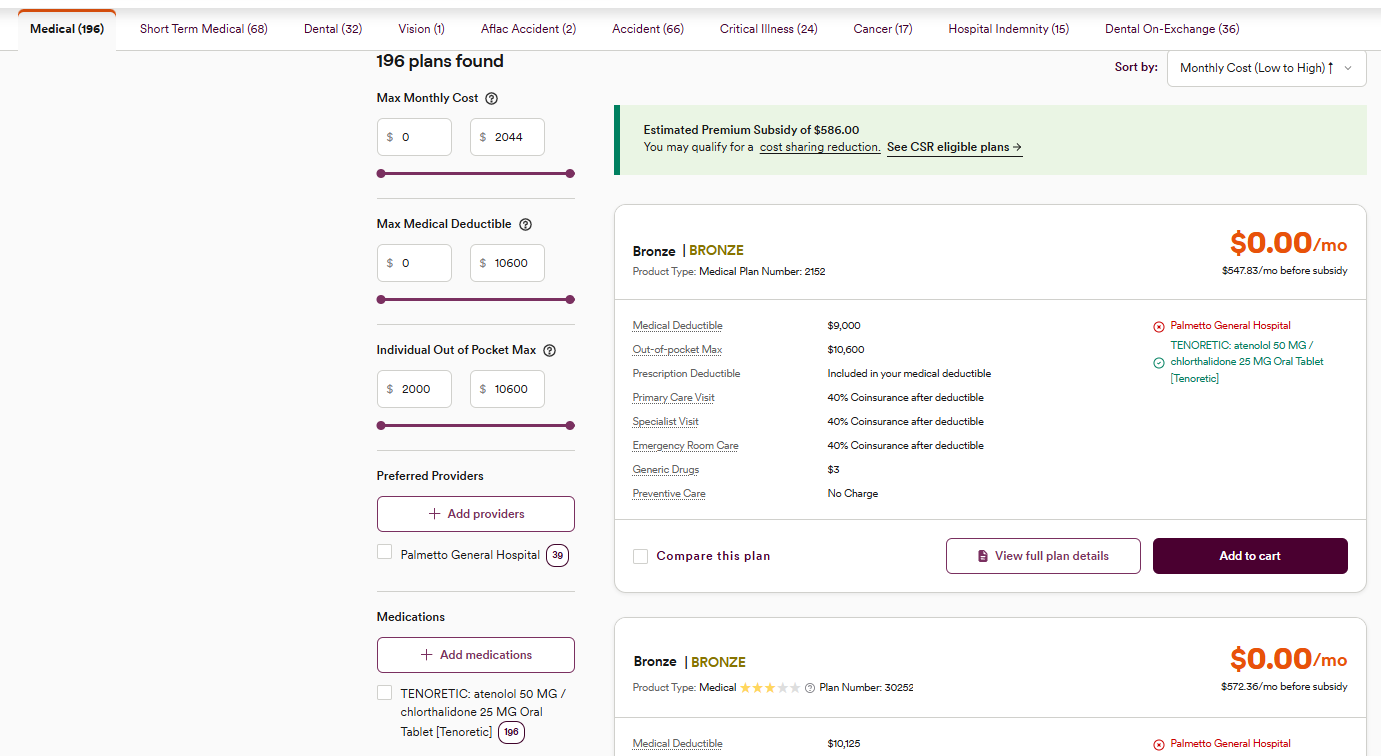
You may have many options to choose from. To narrow down the list, we recommend using the filtering options. [You can find more about filters here], but a great place to start is to filter by provider and prescription.
Step 3 - Review plan cards
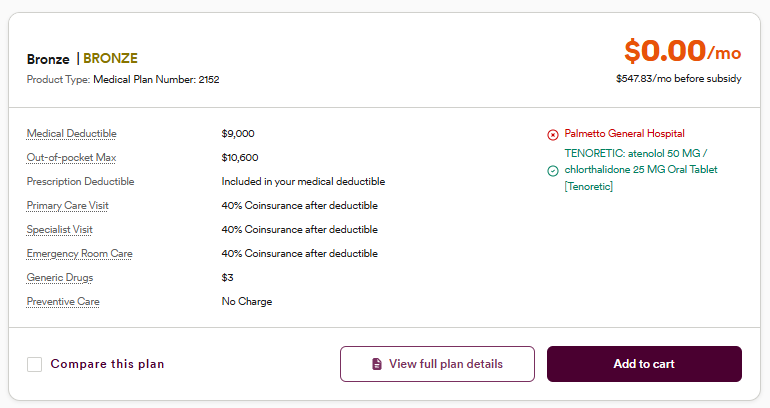
Each medical coverage plan has its own “card”. Plan cards give you a snapshot of key benefits and the monthly premium, so your client can make clear, quick choices. [To explore more detailed information about each coverage plan option], click View full plan details to see full coverage breakdowns, brochures, provider directories, and formulary documents.
Important reminder! Quotes do not automatically save. Look for the button in the upper right of the page that reads, Quote not saved. Click the button, input your client's first and last name in the module that pops up, and then hit Save Quote to ensure you don’t lose your work.

Now that you know how to find and review medical plan options, you’re ready to compare plans and share the quote with your client!
Need a hand? If you hit a hurdle along the way, we're here to help — just submit a ticket here.