Let’s get you on Lucie.
Lucie makes setting up your account a breeze. Creating an account under your agency is easy, it takes just a few minutes and a few clicks. Here's what to expect, step by step, so you can be up and running right away.
Step 1: Start with the basics
Signing up starts with creating your account. If you're part of an agency, be sure to use the link provided by your FMO or agency. Then simply enter your first and last name, email, and phone number.
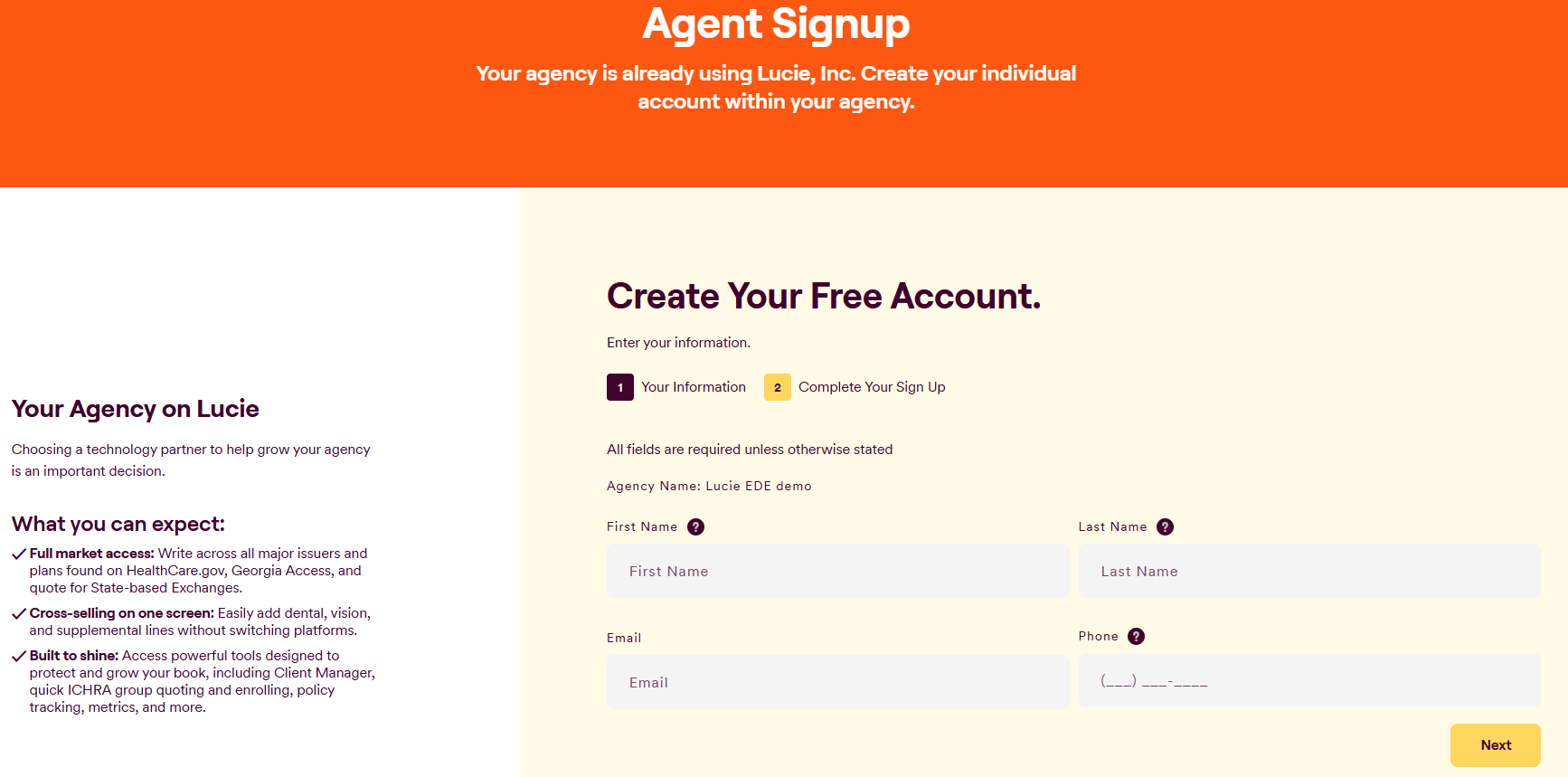
Keep in mind: This information needs to match the user's NPN, which is filled out in the next step. Each user needs their own account, paired with their own NPN.
Step 2: Fill in your details
Next, enter your zip code, county, city, and state. Create a password and enter your NPN. Finally, enter your FFM User ID if you'll be quoting and enrolling ACA Marketplace plans.
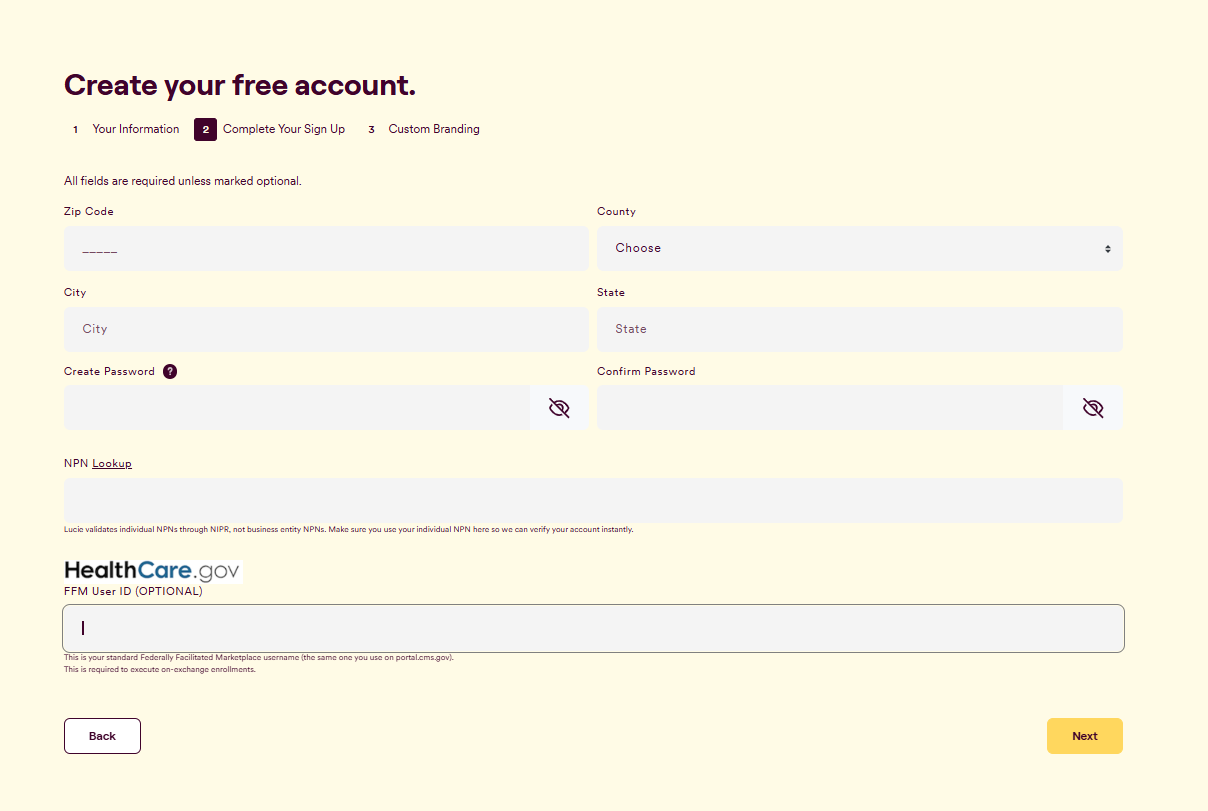
That’s it! Your account is all set up.
Need a hand? If you hit a hurdle along the way, we're here to help — just submit a ticket here.